
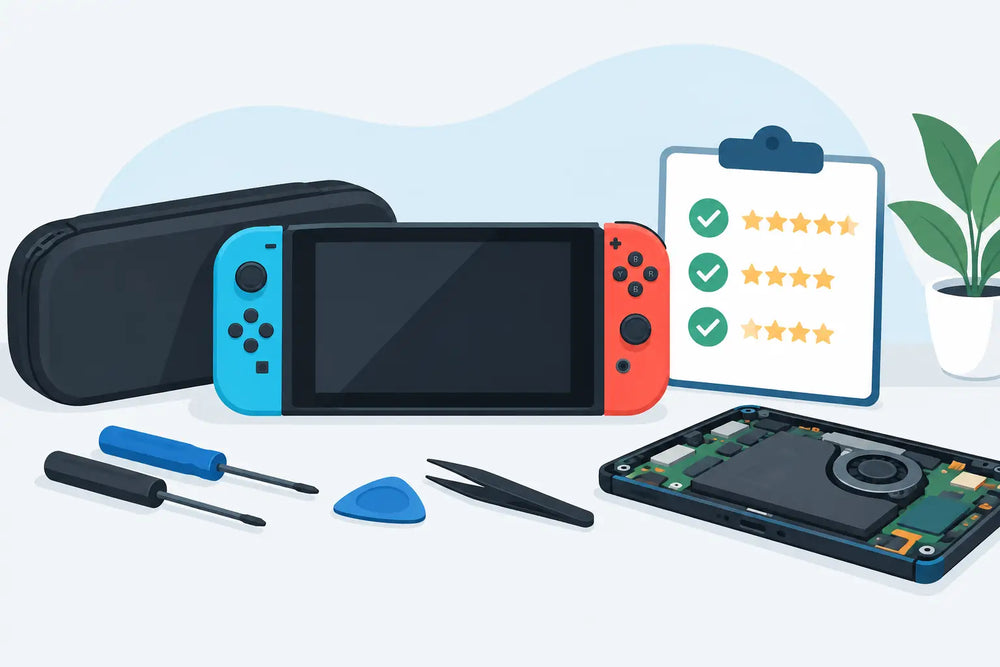
A Switch repair is rarely just about getting the console to power on again. A bad USB-C port can stop docked play. Joy-Con drift can make a favorite game frustrating. A worn battery can turn a handheld console into something that only works near an outlet. Before handing over your system, Nintendo Switch repair reviews can help you separate a shop that understands the hardware from one that treats every console like the same quick job.
The most useful reviews are not always the five-star ones with a single sentence. Look for details about the problem, the repair performed, the final result, and how the shop handled communication. That is where you find out whether a repair business is careful with gaming hardware, clear about costs, and realistic when a problem is more complicated than it first appears.
What Nintendo Switch Repair Reviews Should Tell You
A helpful review identifies the actual issue. Saying a shop fixed a Switch is positive, but it does not tell you much. A review explaining that the console had Joy-Con drift, would not display through the dock, charged inconsistently, or overheated during play gives you something concrete to compare with your own situation.
Pay attention to whether the customer describes the result after the repair, not just the drop-off experience. For example, a review that says the console was tested in handheld and docked mode, the controller connected properly, or the screen and touch input worked afterward carries more weight than a vague comment about good service.
Specificity also matters because Switch faults are not always isolated. A console that will not show an image on a TV could have an HDMI port issue, but it could also involve the dock, cable, USB-C port, charging circuit, or internal board-level damage. Good repair work starts with diagnosing the fault instead of replacing a part based on a guess.
Look for the repair type
The best Nintendo Switch repair reviews often mention the service completed. That may include Joy-Con analog stick replacement, USB-C port repair, screen replacement, battery replacement, fan repair, thermal servicing, game card reader repair, speaker repair, or deep cleaning.
This helps in two ways. First, it shows whether the shop has experience with the same category of problem. Second, it tells you whether the reviewer understood what they were paying for. If a customer thought they needed a new battery but the real issue was a damaged charging port, an honest diagnosis can save them from paying for work that would not solve the problem.
Do not expect every repair to have the same outcome. A drifting Joy-Con is generally a straightforward repair. Liquid damage, a bent console chassis, corrosion, or a damaged motherboard can be far less predictable. Reviews from customers with difficult repairs are often more revealing than reviews from simple jobs, especially when they explain that the shop set expectations clearly before proceeding.
Read Past the Star Rating
A high rating is a good starting point, but it should not be the entire decision. Small local shops may have fewer reviews than a large chain, while still offering more careful diagnostics and better familiarity with older or specialized gaming hardware. Read a range of recent reviews and look for repeated patterns.
If several customers mention fair estimates, timely updates, and repairs that lasted, that is meaningful. If multiple reviewers mention surprise charges, poor communication, repeat failures, or a console returned with new cosmetic damage, take that seriously too.
A repair review should also make sense for the service involved. Same-day Joy-Con stick work may be possible when parts and workload allow. A board-level USB-C repair, liquid-damage assessment, or repair requiring special-order parts can take longer. A shop that promises every repair immediately, without seeing the device, may be setting an expectation it cannot meet.
Recent reviews matter more than old ones. Staffing, suppliers, repair equipment, and turnaround times can change. A strong review from five years ago is nice to see, but it should not outweigh current feedback from customers who have had work done in the last few months.
Watch for signs of a real customer experience
Genuine reviews tend to include small, practical details. The customer may mention being contacted after diagnosis, approving a revised estimate, picking up the console after a few days, or receiving an explanation of what failed. They may also describe testing a repair with a specific game or using the dock at home.
Be cautious with reviews that repeat identical wording, offer only generic praise, or appear in a sudden cluster with no useful details. That does not automatically mean they are unreliable, but they are not as useful as reviews that explain the service clearly.
It is also worth checking how the business responds to criticism. No repair shop will make every customer happy, particularly when a console has prior damage or a fault that cannot be repaired economically. A professional response should be calm, factual, and focused on resolving the issue where possible. Aggressive replies or public arguments are a bad sign.
Questions Reviews Cannot Answer for You
Even excellent reviews cannot diagnose your specific Switch. Before booking a repair, be ready to explain what happens when the fault occurs. Does the console charge with more than one known-good cable? Does it power on but show a black screen? Does the problem happen only when docked? Did the console fall, overheat, or come into contact with liquid?
You should also ask about the estimate process. Find out whether there is a diagnostic fee, whether that fee applies toward repair, and whether the shop contacts you before doing work beyond the original estimate. Clear approval matters most with corrosion, charging faults, and motherboard issues, where the full extent of damage may only become visible after opening the console.
Ask how the repair is tested. For a dock-related problem, a proper test should account for charging, video output, and USB-C connection behavior. For a Joy-Con repair, the analog stick should be calibrated and checked for normal movement. For a battery service, the console should charge and operate normally after reassembly.
Finally, ask whether the repair carries a service warranty and what it covers. A warranty on the installed part and labor is reasonable. It generally will not cover a separate fault, accidental damage after pickup, liquid exposure, or problems caused by third-party accessories. The details matter, so get them before authorizing the work.
Common Switch Repairs and What to Expect
Joy-Con drift is one of the most common Switch complaints. If the character moves without touching the stick, replacement of the analog stick module is often the practical fix. Cleaning can help in limited cases, but it is not always a lasting answer when the component is worn.
Battery issues can look like several different problems. Fast battery drain may be normal in demanding games, especially on an older original Switch. A console that shuts down unexpectedly, will not hold a charge, or has a swollen battery needs attention sooner rather than later. Do not continue using a device with a visibly lifting back panel or screen.
Charging and USB-C repairs deserve extra care. The Switch USB-C port handles charging, docking, and data functions. Damage can result from a dropped console, forced cable, worn accessory, or repeated strain. Because the port is soldered to the board, this is not the same kind of repair as swapping a Joy-Con stick.
HDMI trouble is another case where diagnosis matters. If the Switch works in handheld mode but not on a TV, test the dock, HDMI cable, TV input, and power adapter first. If those are known to work, the dock or console may require repair. Reviews that mention proper testing across these components are more useful than reviews that assume an HDMI port is the culprit.
Bring the Right Information to the Counter
A repair shop can work faster when you bring the console, the relevant accessories, and a clear description of the problem. For docked-play issues, bring the dock and official power adapter if possible. For controller issues, bring the affected Joy-Con or Pro Controller. If a particular game triggers the problem, mention it.
Back up your save data if the console still works and you have the option. Some repairs do not affect stored data, but any hardware service carries some risk, particularly when the issue involves power, liquid damage, or a system that is already unstable. Remove game cards and microSD cards unless the technician asks for them to test the fault.
For players in Prince George, a local shop such as Game Quest can be especially useful when you want to discuss the issue face to face, inspect the console at pickup, and get practical advice on whether repair makes more sense than replacement.
The right review will not promise that every Switch can be saved. It will give you confidence that the shop will diagnose the problem honestly, explain the trade-offs, and treat a well-used gaming system like the piece of hardware it is, not just another device on a repair bench.