
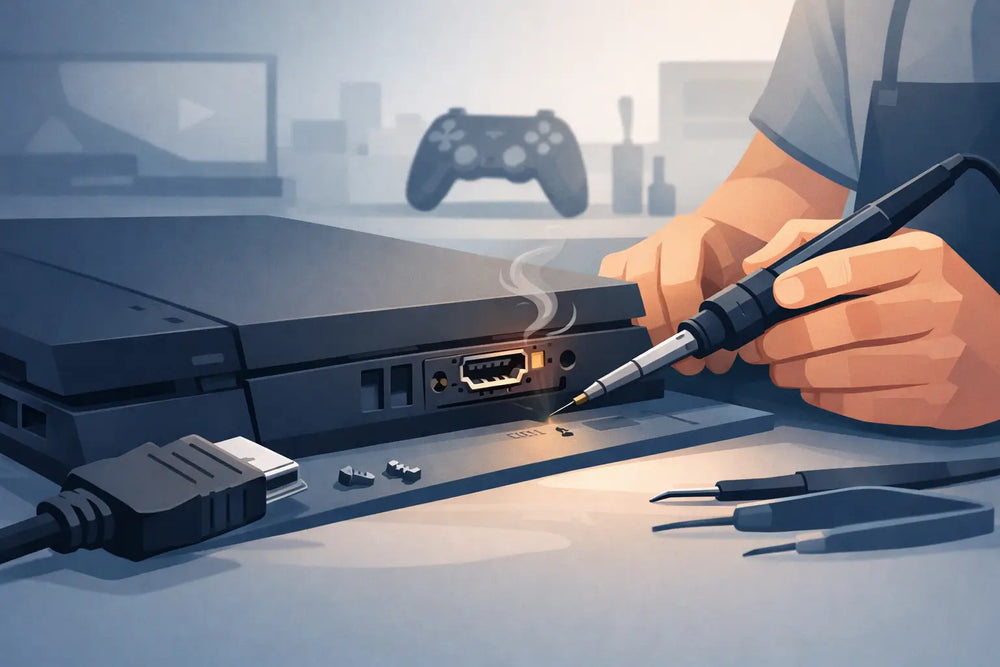
A console powers on, the controller connects, and you can hear the menu music - but the TV only shows “No Signal.” That is the point where an HDMI port repair console service becomes worth considering. A damaged HDMI port is common on PlayStation, Xbox, Nintendo Switch dock, and older systems that have been moved, packed up, or plugged in at an angle. It is also one of those problems that looks simple from the outside but can turn into a bigger board-level issue if handled carelessly.
Before assuming the console is finished, it helps to know what an HDMI failure actually looks like, what a proper repair involves, and when a repair is a better move than replacing the system.
Signs Your Console HDMI Port Is Damaged
The most obvious symptom is no image on a TV that works normally with other devices. But not every black screen points directly to the port. A bad cable, the wrong TV input, a display setting issue, or a failed HDMI chip can create a similar result.
Physical port damage is more likely when the plug feels loose, falls downward instead of sitting level, or needs to be held in one exact position to produce an image. Look into the port with a flashlight, without forcing anything inside. Bent internal pins, a cracked plastic center piece, or a port that appears pushed back into the console are clear warning signs.
Picture problems can also tell the story. Intermittent video, flashing black screens, colored speckles, green or purple output, or an image that drops when the cable moves may mean the connection is failing. On systems such as the PlayStation 5 and Xbox Series X, 4K and high-refresh-rate output can expose a weak connection sooner than standard 1080p.
Before booking a repair, test a known-good HDMI cable and a second display if possible. Confirm the TV is set to the right input. If the console has been connected through an HDMI switch, receiver, or capture device, connect it directly to the TV. These basic checks save time and prevent paying for a repair the console does not need.
What HDMI Port Repair Console Work Actually Includes
A proper HDMI port repair is not just pulling out a damaged socket and putting in a new one. The console needs to be opened, inspected, and tested before any soldering starts. A technician checks the port, solder pads, nearby filters, power lines, and the HDMI encoder or retimer circuit where applicable.
The damaged port is removed using controlled heat. This step matters because excessive heat can lift pads from the motherboard or damage nearby components. The board is cleaned, the replacement port is aligned, and each pin is soldered under magnification. The connection is then inspected for bridges, weak joints, and missing pads before the console is reassembled and tested.
A good repair includes output testing, not just checking whether a picture appears for five seconds. The console should be tested at the resolutions it supports, with attention paid to stable audio and video. On newer consoles, this can include 4K output and features such as HDR, depending on the display and system.
If the port has been torn hard enough to rip traces or pads from the board, the job may require jumper wires or trace reconstruction. That is more involved than a standard port replacement, but it can still be repairable. The final cost and turnaround depend on the extent of the damage, the console model, and whether another component has failed.
The Port Is Not Always the Real Problem
An HDMI port can look fine while the actual fault sits elsewhere on the board. HDMI chips, ESD protection components, retimers, and surrounding filters can fail from a power surge, liquid exposure, or repeated cable stress. A console that has no video but has a solid, undamaged port needs diagnosis before anyone promises a straightforward replacement.
This is why “I already bought the port” does not guarantee a quick fix. The replacement part may be correct, but the board still needs to be checked. Replacing a good port will not repair a failed HDMI circuit.
Why DIY HDMI Repair Is Risky
There are plenty of repair videos that make HDMI replacement look like a quick weekend job. For experienced electronics technicians with a microscope, hot-air station, quality flux, board holders, and the right replacement parts, it can be routine. For most console owners, the risk is not worth the savings.
HDMI ports use tightly spaced pins, and the board underneath them is sensitive to heat. A basic soldering iron may be enough to damage pads without removing the port cleanly. Too much heat can warp plastic connectors, dislodge tiny components, or create faults that are harder to diagnose than the original problem.
The wrong replacement port is another issue. Ports can look nearly identical while having different mounting tabs, pin placement, or dimensions. Using a mismatched part can leave the connector loose, prevent the shell from closing correctly, or create unreliable output.
DIY work makes the most sense when the system is already considered a learning project and you are prepared for the possibility of board damage. If it is a daily-use PS5, a rare retro console, or a system with saved data you care about, professional service is usually the safer call.
Repair or Replace: How to Make the Call
Whether repair makes sense comes down to the console’s value, the severity of the fault, and what the system means to you. A current-generation console with a damaged port is often worth repairing because replacement costs are high and your account, installed games, accessories, and saves are already tied to that hardware.
The same applies to older systems that are becoming harder to replace in clean working condition. A working original Xbox, PlayStation 2, GameCube, or retro HDMI-modded console can be worth preserving, especially when it is part of a collection. A repair maintains the specific unit you own instead of sending you back into the used market hoping for a better replacement.
Replacement may make more sense if the motherboard has extensive corrosion, severe impact damage, multiple failed chips, or a repair estimate close to the cost of another tested system. Even then, compare condition carefully. A cheaper replacement console may have its own weak port, worn disc drive, overheating issue, or missing accessories.
For collectors, there is another factor: original condition. A properly completed HDMI port repair is a functional maintenance repair, not a cosmetic alteration. Still, if a console is especially rare, limited edition, or historically significant, ask the technician about the expected work and any visible changes before proceeding.
Preventing Another Damaged HDMI Port
Most HDMI ports fail because of sideways pressure, not normal use. The cable becomes a lever when a console is pulled forward, shoved into a media cabinet, or packed while still connected. Prevention is mostly about reducing that strain.
Give the HDMI cable enough slack behind the console so it does not pull tight when the system moves. Avoid forcing a plug into a port that is upside down or misaligned. If the console travels often, disconnect the cable before packing it. A right-angle adapter can help in tight entertainment centers, but only if it does not put added pressure on the port.
Keep the console on a stable surface where pets, kids, and vacuum cords cannot tug on the cable. If a port begins cutting out, stop wiggling the cable to make it work. That temporary workaround often turns a loose connection into torn pads or a damaged HDMI circuit.
Getting a Console Ready for Repair
Bring the console itself, and bring its power cable if the model uses a removable one. A known-good HDMI cable can also help reproduce intermittent faults, although a shop should have test cables and displays available. You usually do not need to bring controllers, games, original packaging, or every accessory unless the issue happens only with a specific setup.
If the system powers on but has no display, describe exactly what happened before it failed. Mention drops, cable pulls, lightning or power events, liquid exposure, recent cleaning, or previous repair attempts. Those details can speed up diagnosis and help identify faults beyond the port.
For customers in Prince George, Game Quest can inspect console video issues and determine whether the HDMI port itself is the problem or whether the board needs deeper diagnosis. A clear assessment is better than guessing, especially when the system still has plenty of life left.
A dead HDMI signal does not automatically mean a dead console. Test the simple stuff first, avoid forcing the cable, and get the hardware checked before writing it off. The right repair can put a favorite system back on the TV where it belongs.