
This week I have a water-cooled build to work on! Aside from my own computers it has been a while since i have had the opportunity to build something like this for a while so I'm excited! Especially after Luke only described it as "Flipping HUGE" or something to that effect..... But I digress.....
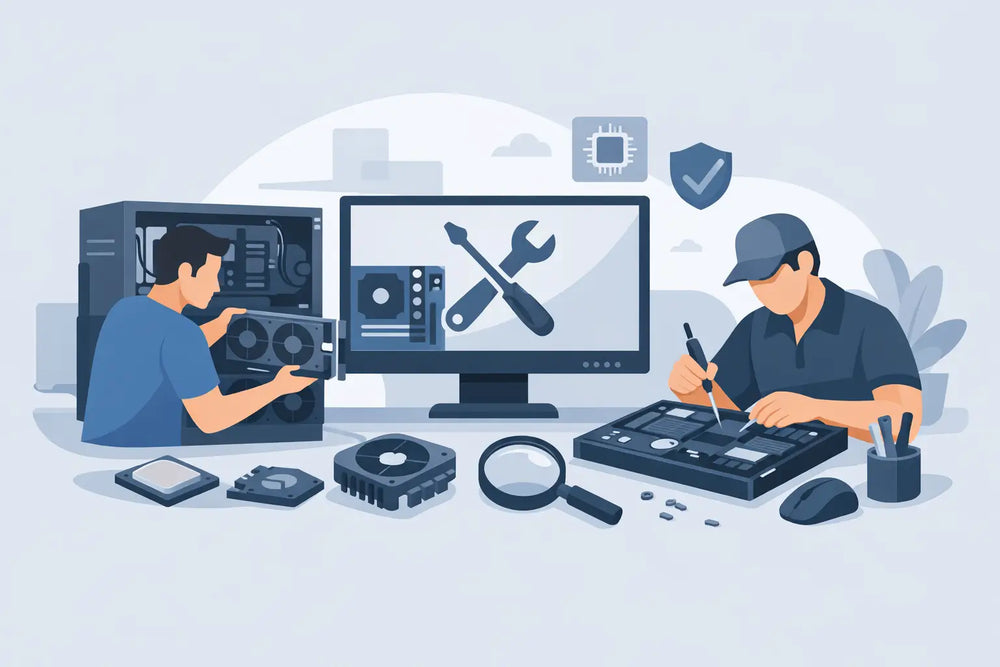
A prebuilt PC looks fine until it starts doing prebuilt PC things. Maybe the power supply is barely adequate, the case airflow is bad, or you realize the upgrade path is basically a dead end. That is usually when custom computer building and repair starts making a lot more sense, especially if you actually care about game performance, part quality, and being able to fix problems without replacing the whole machine.
For a lot of players, the goal is not owning the most expensive setup in the room. It is getting a computer that runs the games you play, fits your budget, and does not become a headache six months later. That is the real value of a custom build. You choose where the money goes, where to save, and what matters most for your setup.
Why custom computer building and repair makes sense
A good custom PC is not just about frames per second. It is about control. If you mostly play esports titles, your build priorities are different from someone playing new AAA releases at high settings. If you stream, edit video, or run multiple displays, that changes the build again. A generic off-the-shelf machine usually splits the difference, which often means you pay for parts you do not need while still getting weak points in the areas you do.
Repair matters just as much. Computers wear down in ordinary ways. Thermal paste dries out. Fans fail. Storage drives develop problems. Dust buildup pushes temperatures higher than they should be. Sometimes the issue is simple, and sometimes it is not. Either way, replacing a whole system because of one bad component is usually a waste.
There is also the collector and enthusiast angle. A lot of people who care about physical games, older hardware, and maintaining their setup already understand the value of proper service. The same logic applies to PCs. Preventive maintenance and smart part selection usually cost less than emergency replacement later.
What a custom build should actually be based on
The first question is not, "What is the best GPU?" It is, "What is this PC for?" That sounds basic, but it saves money immediately. A machine built for competitive shooters, schoolwork, Discord, and the occasional Steam sale pickup does not need the same hardware as a 4K single-player setup with video editing on the side.
Resolution matters more than many people expect. A system for 1080p gaming has very different needs than one meant for 1440p ultrawide or 4K. Refresh rate matters too. If you are aiming for 144Hz or higher in fast games, you need balanced CPU and GPU performance, not just one expensive card carrying the whole build.
Then there is storage. A fast solid-state drive makes day-to-day use better, but the right amount depends on your library. If you rotate through a few games, you can keep things lean. If you have massive installs and hate deleting anything, capacity becomes part of the plan.
Cases and cooling are where a lot of prebuilts cut corners. Good airflow is not a luxury. It affects thermals, noise, and long-term reliability. The same goes for the power supply. A cheap unit can create instability, limit future upgrades, or fail in ways that put other parts at risk. It is not the flashy part of the build, but it is one of the most important.
Custom computer building and repair is really about balance
The best builds are balanced builds. Overspending on one part and underspending on everything around it usually leads to disappointment. A high-end graphics card paired with a weak CPU, poor cooling, or single-channel memory will not perform the way people expect. On the other side, buying premium extras before covering the basics is an easy way to blow a budget.
That is why part selection needs to be practical. Start with the games you play and the monitor you use. Build around that. If there is room for nicer aesthetics, RGB, extra storage, or a quieter cooler, great. But performance per dollar should come first unless the buyer already knows they are paying extra for looks.
This is also where honest advice matters. Sometimes the right move is building fresh. Sometimes it makes more sense to upgrade an existing system one or two parts at a time. And sometimes the hard truth is that an older platform is not worth sinking more money into. The answer depends on what is already in the machine, what condition it is in, and what result you are trying to get.
The most common repair and upgrade issues
A lot of computer problems look dramatic when they are actually fixable. Overheating is one of the big ones. If a system is running hot, shutting down, or throttling performance, the cause might be dried thermal paste, clogged filters, dead fans, or a cooler that was never mounted properly in the first place.
Storage failure is another common issue. Slow boot times, crashes, missing files, and random freezes can point to a drive on its way out. Catching that early can save data and prevent a full breakdown. RAM issues can show up as blue screens, instability, or games crashing for no obvious reason.
Power-related problems are also common. If a PC will not turn on, turns off under load, or acts inconsistently, the power supply is one place to check. Motherboards and GPUs can fail too, but diagnosing the actual fault matters. Throwing random parts at a problem is how repair costs spiral.
Then there are upgrade jobs that seem simple until they are not. Swapping a graphics card sounds easy, but the existing power supply may not support it. Adding storage is straightforward unless the case layout, cable situation, or motherboard slot usage creates conflicts. CPU upgrades often involve BIOS compatibility, cooling requirements, and platform limits that people miss when buying parts on their own.
When repair is smarter than replacement
It depends on age, platform, and what failed. If a relatively modern gaming PC has one bad SSD or a cooling issue, repair is usually the obvious call. If the machine still has a usable CPU and motherboard platform, targeted upgrades can extend its life without rebuilding from scratch.
If the system is much older, the answer gets less clear. Sometimes replacing the GPU in an aging rig gives enough extra life to justify the cost. Sometimes an older CPU platform becomes the bottleneck no matter what else you add. That is where real diagnostics matter. You want to know what is worth saving, what should be replaced, and what will still make sense a year from now.
The same practical thinking applies to budget. Not everyone needs a full new build right away. A storage upgrade, fresh thermal service, more memory, and a proper cleaning can make an existing machine feel dramatically better. That is especially true for people coming from neglected systems rather than truly outdated hardware.
Why local service still matters
Mail-in service has its place, but local support gives you something online checkout never will. You can talk to someone about what the machine is doing, what games you play, what budget you are working with, and whether you care more about raw performance, lower noise, or future upgrades. That back-and-forth usually leads to better decisions.
It also helps when the problem is not obvious. A system that crashes only in certain games, runs hot in one case position, or has intermittent display issues needs actual troubleshooting. That is hard to solve from a product page. Hands-on service saves time, and in many cases it saves money because the fix ends up being smaller than the owner expected.
For gamers around Prince George, that local angle matters even more. Being able to bring in a system, get straight answers, and deal with people who understand gaming hardware is different from dealing with a general electronics counter. At Game Quest, that kind of service fits the same reason people come in for console repair, disc resurfacing, and older platform support. The point is practical help from people who actually work on this stuff.
What to expect from a good build or repair service
You should expect clear communication, realistic recommendations, and no nonsense. That means talking about use case first, not just quoting the most expensive parts on the shelf. It means explaining trade-offs when they matter. A quieter cooler may cost more. A smaller case may limit future upgrades. A cheaper motherboard may be fine for one build and the wrong choice for another.
You should also expect attention to the details that affect long-term use. Clean cable management is nice, but stable power delivery, good airflow, updated firmware, and sensible component pairing matter more. On the repair side, the goal is not just getting the system to turn back on. It is fixing the cause, checking for related issues, and making sure the machine is ready to keep working.
A good custom PC should feel intentional. A good repair should feel worth doing. If the advice is honest, the parts make sense, and the work is done properly, you end up with a computer that fits your setup instead of fighting it. That is the whole point - build what you need, repair what is worth keeping, and do both with a clear reason behind every part.